Archer Master 3D: Castle Defense Unblocked — Play Free Online
More Tower Defense & Strategy games




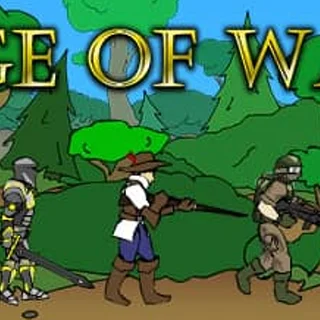

Archer Master 3D: Castle Defense unblocked: play Archer Master 3D: Castle Defense online free right here in your browser — no download, no sign-up, works on a school Chromebook.
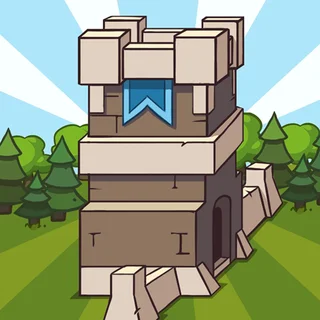
Archer Master 3D: Castle Defense is a tower defense game set around a castle you have to keep standing. Enemies come in waves, you place defenders where they can do the most damage, and you spend what you earn on stronger ones. It runs in the browser with nothing to install, and a session can be a few waves or a longer stretch, depending on how far you push.
The page filed it under tower defense and strategy, and the "3D" in the title points to a rendered view rather than the flat top-down maps most players know from the Bloons games. If you come here from Bloons TD, the core routine will be familiar: read the path, put units at the choke points, start the wave, then adjust. What differs is the theme, with archers and a castle in place of monkeys and balloons.
How to play
The game is played almost entirely with the mouse. Pick a tower or unit from the bar, click the spot where you want it, then start the wave. Money comes in as enemies are beaten, and between waves you can spend it on upgrades or new placements. Then you start the next wave and see whether the setup held.
A round is a loop of three things: place, watch, upgrade. Because you only act between waves and at moments of pressure, the pace is calm enough to think about your layout.
Tips
- Put your first defenders where the path bends or narrows, so each one has more time to hit enemies as they pass.
- Upgrading a well-placed unit is often a better use of money than adding another weak one in a poor spot.
- If a wave gets through, look at where the leak happened and fix that spot before the next one, rather than spreading money everywhere.
Similar games on Bloons TD
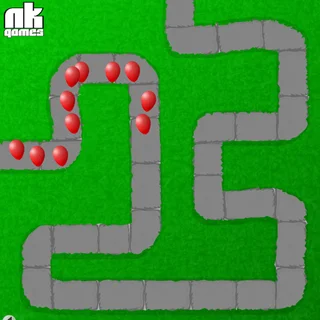
If you want the classic balloon version of this loop, Bloons TD 4 and Bloons TD 3 are the closest match, with tower types and upgrade paths. Cursed Treasure 2 is another tower defense game on the site, and Castle Defender Saga leans on the castle-defense idea as well. Bloons TD 2 is the simpler, shorter option.
It suits a quick break at a desktop, where a mouse makes placing units easy, and it is a fair pick if you have finished the Bloons games and want a different setting for the same kind of planning.
Questions about Archer Master 3D: Castle Defense
Is Archer Master 3D: Castle Defense unblocked at school?
Archer Master 3D: Castle Defense runs in an ordinary browser tab from bloonstd.org, with nothing to download or install, so it plays on most school Chromebooks and work computers. If a network filter blocks the site, only that network's administrator can change it.
How do I play Archer Master 3D: Castle Defense?
Use the mouse. Pick a tower or unit from the bar, click where it should go, then start the wave. Spend your earnings on upgrades between waves.
Is Archer Master 3D: Castle Defense free?
Yes. It is free to play in your browser on bloonstd.org, with no download or account.
Does it work on a phone or Chromebook?
It is an HTML5 build that runs in a modern browser. The controls are mouse-based, so a mouse or touchscreen tap works for placing units.