Run 2 Unblocked — Play Free Online
More Runners & Driving games
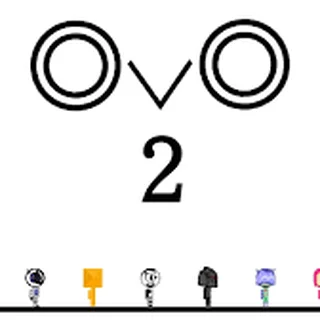
Run 2 unblocked: play Run 2 online free right here in your browser — no download, no sign-up, works on a school Chromebook.
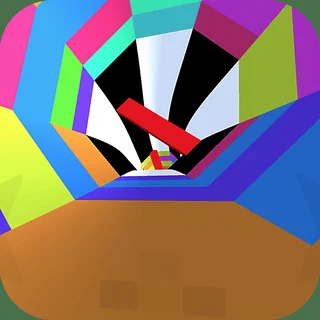
Run 2 is a defining classic of browser platformers, placing you in control of an agile space traveler navigating floating tunnels suspended across the cosmos. The hallmark of the game is its mind-bending gravity mechanic: running up against the wall rotates the entire corridor around you, transforming the wall into the new floor. As you sprint forward through three-dimensional space, mastering when to stick to the floor and when to flip onto the ceiling is essential to clearing every obstacle.
For players visiting Bloons TD, Run 2 provides a high-adrenaline rhythm check. While strategizing tower placements and pop counts requires patient resource planning, conquering the gravity-shifting tunnels demands instantaneous spatial recognition, precise jump timing, and muscle memory built across rapid retries.
How to play
Guide your character along the track using the standard keyboard controls:
- Left and Right Arrows (or A and D): Steer sideways and rotate the tunnel by running onto adjacent walls.
- Up Arrow or Spacebar: Jump across pits, floating gaps, and disappearing tiles.
- R Key: Quickly reset the current level if you miscalculate a jump.
You can choose between two distinct playable characters: the Runner and the Skater. The Runner offers tighter ground control and quick, snappy hops, making her ideal for narrow passages with frequent directional changes. The Skater carries higher forward momentum and leaps across vast distances, enabling you to bypass entire clusters of broken tiles with careful timing.
Tips
Clearing the trickiest stages requires steady navigation rather than frantic button presses:
- Anticipate tunnel rotations: Look two or three tiles ahead to spot safe landing zones before jumping toward a side wall. Rotating mid-jump requires accurate perspective adjustment.
- Manage fragile tiles: Certain floor segments crumble the instant your feet touch them. Treat these as springboards for immediate jumps rather than stable platforms.
- Leverage character strengths: If a stage feels impossible due to massive gaps, switch to the Skater for increased airtime. If you keep overshooting landings on tiny platforms, switch back to the Runner.
- Commit to your trajectory: Adjusting direction in midair is limited. Line up your angle on the floor before launching yourself across open space.
Similar games on Bloons TD
When you want to transition from high-speed space running back to strategic puzzle solving, Bloons TD and Bloons TD 3 offer classic wave-based tower defense with extensive upgrade paths. Players looking for lane defense and real-time tactical battles can also jump into Castle Defender Saga or Cursed Treasure 2.
Run 2 runs seamlessly in any modern web browser without requiring extra installations or downloads, making it easy to drop in for a quick run or settle in to master all the bonus stages.
Questions about Run 2
Is Run 2 unblocked at school?
Run 2 runs in an ordinary browser tab from bloonstd.org, with nothing to download or install, so it plays on most school Chromebooks and work computers. If a network filter blocks the site, only that network's administrator can change it.
What is the difference between the Runner and the Skater in Run 2?
The Runner provides sharper ground control and precise short jumps, while the Skater carries higher momentum and jumps further across long gaps.
How do the gravity mechanics work in Run 2?
Steering into a side wall rotates the tunnel 90 degrees, turning that wall into your new floor and allowing you to bypass floor hazards.
What happens when you fall off the track?
Falling into open space immediately restarts your run at the beginning of the current level with zero penalty.
Can I play Run 2 on a Chromebook or laptop?
Yes, Run 2 runs smoothly in modern web browsers without installing extra plugins or creating an account.